Backend Testing is the process of testing the server-side of software, applications, and web services. It aims to ensure the proper processing and management of data by verifying databases, servers, APIs, and other backend components. Backend testing helps prevent bugs, enhance application performance, and guarantee high-quality output.
Jest is a JavaScript testing framework designed for simplicity. It enables you to craft tests using an easy-to-understand API that delivers quick results. Jest comes with comprehensive documentation, minimal setup, and can be customized to suit your needs.
Serverless refers to a cloud computing model where the cloud provider handles server allocation and provisioning dynamically. In this model, applications run in stateless, event-triggered containers that are temporary and fully managed by the provider. Serverless architecture boosts productivity, simplifies systems, and cuts operational costs.
Installation: yarn add --dev jest @types/jest
Example:
describe("Handler", () => {
  it("should return a status code of 200", async () => {
    const { list } = require("./handler");
    const event = new HttpApiEvent();
    const response = await list(event);
    expect(response.statusCode).toEqual(200);
  });
});
Run Tests: yarn run test
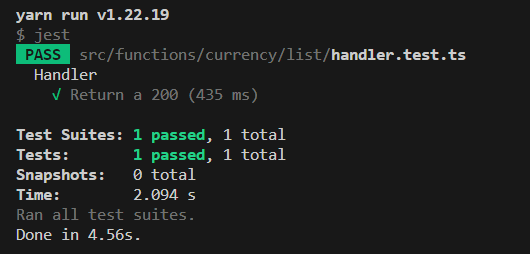
The platform currently has one test, which simply lists the available currencies.
In the future, we aim to implement tests for:
Entity:
Create an entity successfully
Activate an entity successfully
Block an entity successfully
Delete an entity successfully
Add a plan
View plan details
List entity plans successfully
Invoice:
Create an invoice successfully
View invoice details
List all invoices successfully
Delete an invoice successfully
Transactions:
Create a transaction successfully
View transaction details
List all transactions successfully
Commissions:
Create a commission successfully
View commission details
List all commissions successfully
Dashboard:
Load the dashboard successfully
Ensure the dashboard displays correct data
Status:
View status details